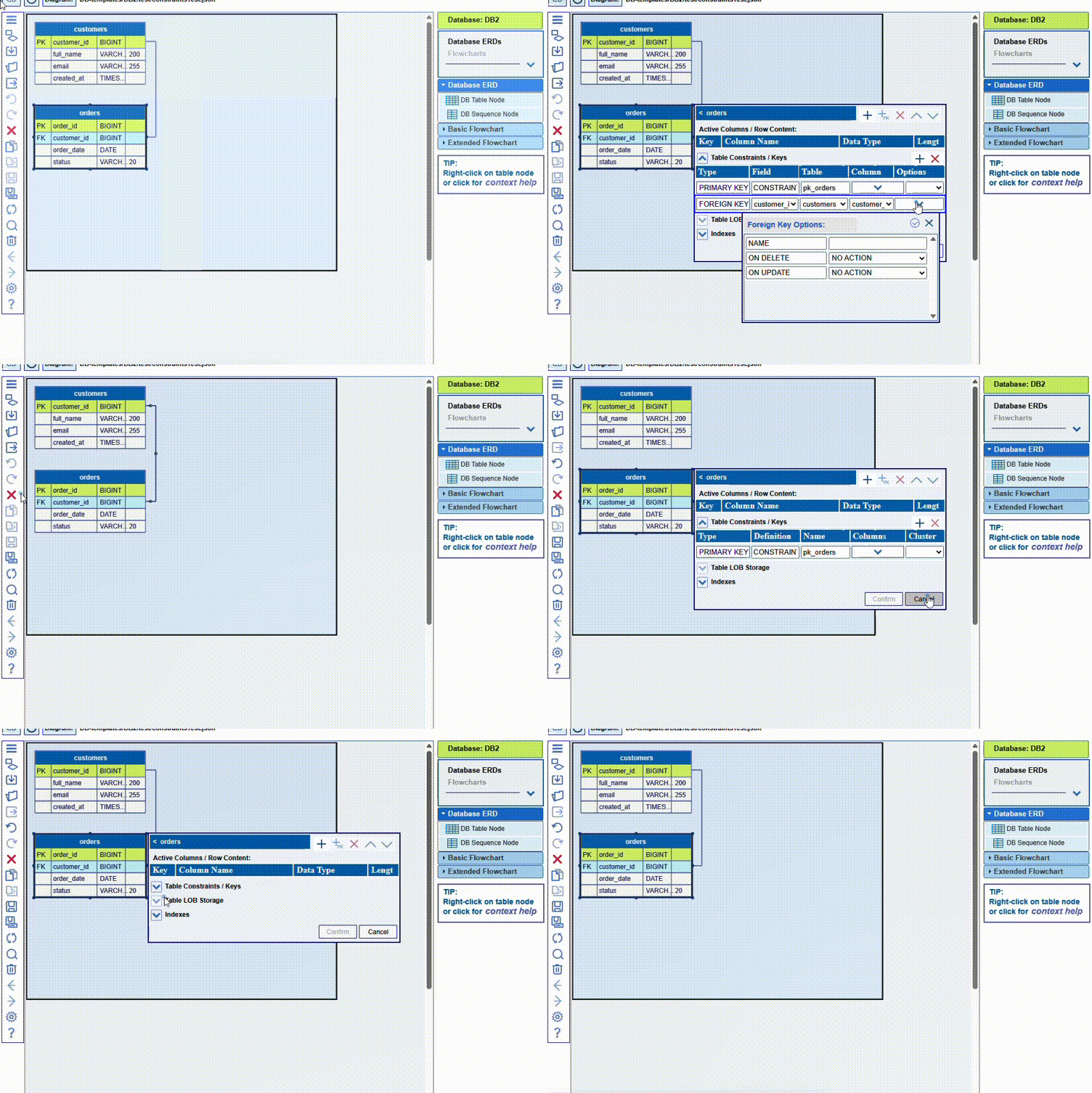
Database constraints specify the rules for data in a table. They can be column-level, referring to a given column, or table-level, referring to multiple columns. Constraints are used to limit the type of data that can be included in a table. This ensures the accuracy and reliability of the data in the table. If there is any violation between a constraint and the action on the data, the action is aborted.
Here are examples of some of the most common database SQL constraints:
- PRIMARY KEY: Uniquely identifies each row in a table, requiring that the values in this column be a combination of a NOT NULL and UNIQUE. It can be specified either at column level or at table level.
- FOREIGN KEY: Connects data across multiple tables, based on a common column or columns. It is a field (or collection of fields) in one table, referring to the PRIMARY KEY in another table. In the SQL schema it is specified either at column level as REFERENCES, or at table level.
- UNIQUE: Prevents duplicate values from being entered into a column, but allows null values. It can be specified either at column level, or at table level.
- NOT NULL: Ensures that a column should never contain an invalid value
- CHECK: Specifies a requirement that must be met by each row in a table, and can refer to a single or multiple columns. It can be specified either at column level, or at table level.
- DEFAULT: Allows to define a value to be placed into a column when a new row in a database table is inserted.
NOTE: The JDElite Data Modeler uses unified graphical presentations for PRIMARY KEY, FOREIGN KEY, UNIQUE and CHECK. They are all interpreted as table level constraints, and in the DB table editor they are represented at table level to add, edit, or remove.
The REFERENCES constraint is represented as FOREIGN KEY and is assigned always at table level.
Here is an example how to assign a FOREIGN KEY constraints for a database table column. You need to double-click the title bar of the table node to assign this constraint by selecting in the editor this table FK field, as well as the source PK table name and column name. When you comfirm this information, together with the FOREIGN KEY constraints, a new graphical link will be created:
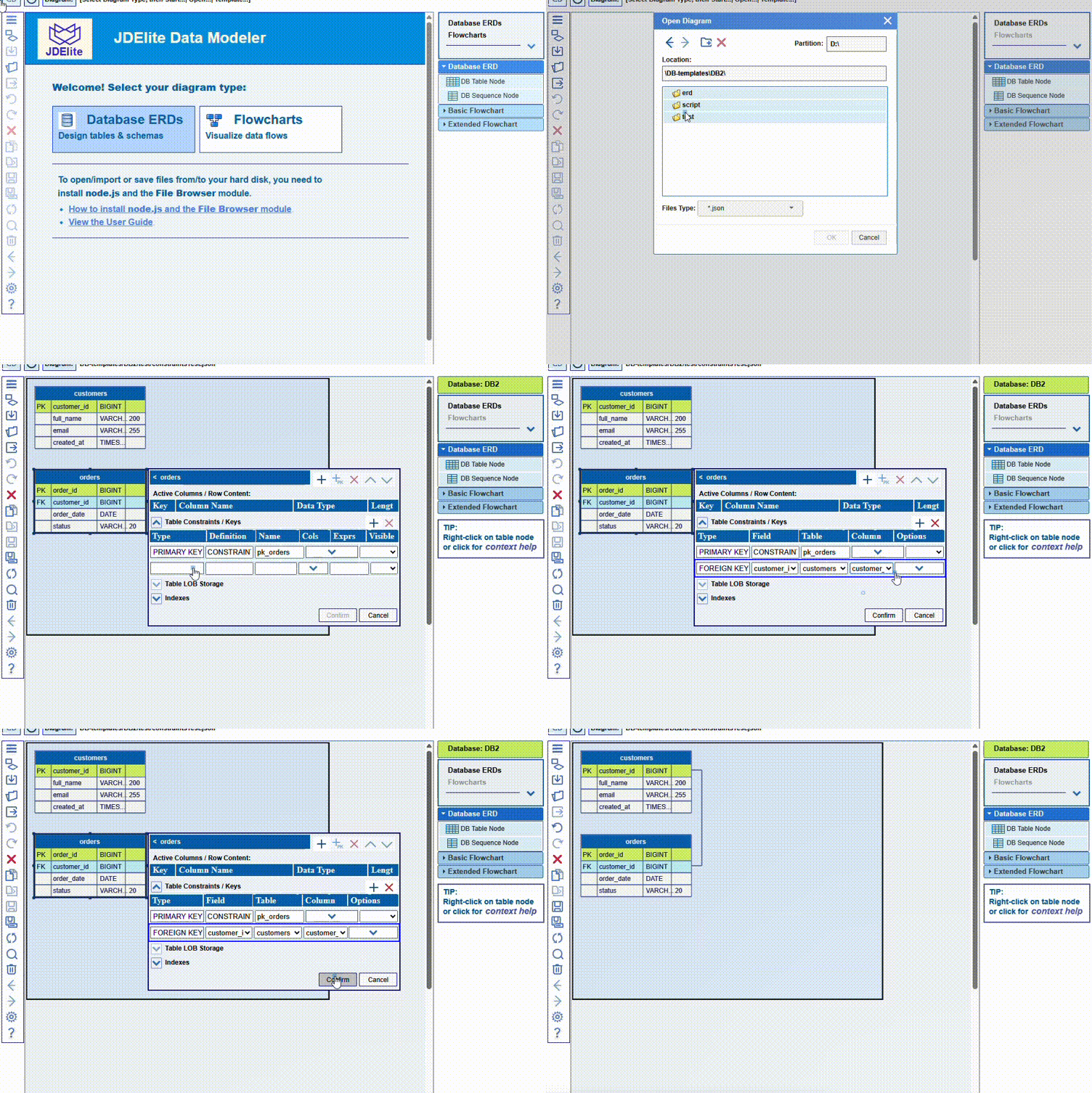
There is a two-way synchronization between a created link and a FOREIGN KEY constraint: creating a link by dragging the mouse will also automatically create the corresponding FOREIGN KEY constraint.